Tap Cards, QR Codes, and Short Links: Choosing the Best In-Person Review Tool for Your Frontline Staff
Practical guidance for frontline teams on when to use tap cards, QR codes, or short links at checkout and after visits — with actionable tips, simple staff scripts, and compliance reminders.
Why in-person review tools matter
When customers are still on-site or just finished a service, asking for a review is both natural and effective. Simple, quick tools reduce friction and make it easy for customers to leave feedback immediately — which increases the chance they’ll follow through. At Holly Wagner Biz we focus on ethical, FTC-compliant collection methods and practical tools your staff can use right at the point of interaction.
Quick comparison: tap cards, QR codes, and short links
All three options aim to make it easy for customers to reach your review page, but they shine in different situations. Tap cards are physical prompts staff can hand to customers; they work well for quick face-to-face asks. QR codes are visible and inexpensive — great for tables, counters, and printed receipts. Short links are ideal when sending a follow-up text or email after the visit. Choose based on speed, how customers usually pay or interact, and what your staff can implement consistently.
Tap cards: when to use them and best practices
Tap cards are most useful at the register, checkout counter, or as part of a handoff (for example, when returning keys or finishing a service). Keep cards simple and professional: one short instruction, the review call-to-action, and a clear brand element. Train staff to present the card as a routine part of service — for example, “If you had a good experience, here’s a quick card you can use to leave a review.” One client noted that using review tap cards produced several new reviews within a couple of days, showing how effective a brief in-person prompt can be.
QR codes: visibility, placement, and hygiene
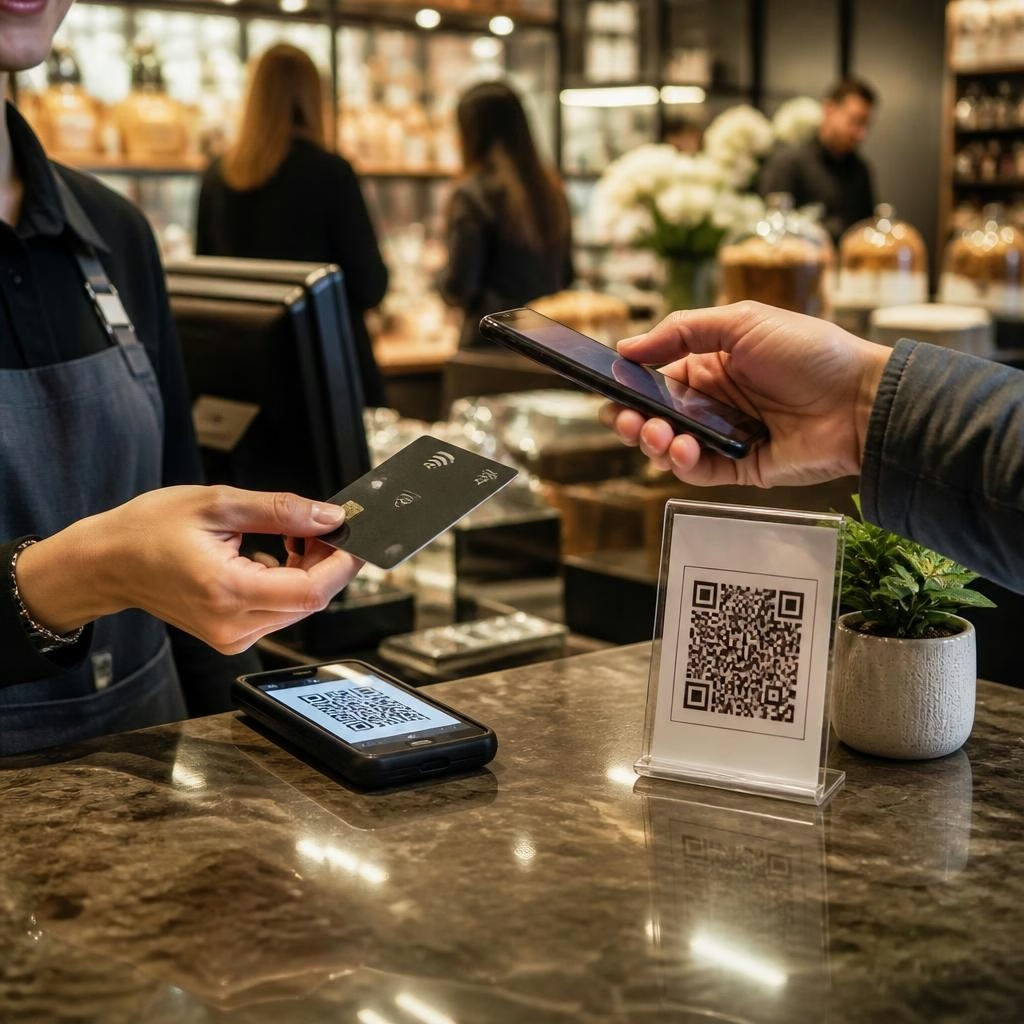
QR codes are versatile and cost-effective. Place them where customers wait, on menus, at the payment terminal, on the back of receipts, or on a counter sign. Make the code a clear invitation (e.g., “Share your feedback — scan here”) and pair it with a one-sentence value prompt like “Took 30 seconds, helps small businesses a lot.” For high-touch environments, put the QR code on disposable or easily cleaned materials so customers don’t need to handle shared surfaces.
Short links and follow-up messages: timing and wording
Short links work best for follow-up texts, emails, or receipts where customers can act when they’re comfortable. Keep links as short and memorable as possible and include a clear call-to-action in the message: mention the service and ask for a quick review. A good timing rule is to send within a few hours for quick-stop services and within 24–48 hours for longer appointments. If you use automated follow-ups, make sure messages are respectful, optional, and consistent with FTC and platform policies.
Simple staff scripts and small workflow changes
Consistency beats a perfect script. Use short, natural lines staff can remember: "Thanks for coming in — if you enjoyed your visit, this card/QR link makes leaving a quick review easy." For receipts or text links: "We’ll send a quick link so you can share feedback when it’s convenient." Role-play these prompts during team meetings and track who asks and when. Small shifts — placing cards at the POS, adding a QR sticker to menus, or enabling one-click links in your follow-up texts — make the practice part of routine service rather than an extra task.
Measure results and keep collection ethical
Track the tools that produce responses (tap cards returned to a link, QR scans, or clicks from short links) so you can optimize placement and phrasing. Remember Holly Wagner Biz’s approach: stay compliant with FTC and Google rules, avoid gating or filtering reviews, and encourage honest customer feedback. Use private feedback channels for service recovery and keep public review asks transparent. Over time, the right mix of tap cards, QR codes, and short links — used consistently and respectfully — will make it easier for frontline staff to gather authentic reviews that build visibility and trust.
Customer review


Article by
Holly Wagner - Reputation Curation
Holly Wagner works with local businesses to take control of their online reputation before negative experiences become public reviews, lost customers, and lost revenue. Your customers are talking about your business online. The question is: Are you listening before everyone else hears it? Holly Wagner's reputation management approach helps businesses identify unhappy customers early, encourage satisfied customers to share their experiences, monitor reviews, and build a stronger online reputation.